You should first login. Either by signing up to our website or by your Facebook account.

After you click post an item link, you fill the required sections in the next page, press “Save Item” button and start the upload process. This process may take some time depending on the size of the images that will be uploaded. When the process is completed…
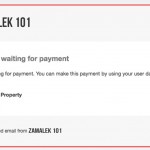
An e-mail is sent to you notifying that payment is waited upon.
 The uploaded item is shown as in the image on the left side. Choose the payment method, start the payment process and complete the process.
The item whose paym ent has been completed awaits the approval of the admin in “Pending Approval” status.
During this time, an e-mail is sent to you
stating that payment is completed.

An item which has been approved by admin is broadcasted and its Expire Date appears in your “My items” page.
The e-mail which is sent to you after approval can be seen on the image on the left side.
Rejected e-mail is sent for items that are not approved.